
Billing
Choose a TrailHUB plan, and update your payment method or cancel through the Billing tab in User Settings.
Use the Billing tab in User Settings to manage your TrailHUB subscription. Subscriptions are billed through Stripe; payment is by credit card. Every new account has a 30-day free trial, after which trail systems are paused until a plan is chosen. See Plans and pricing for what each tier includes.
Your subscription belongs to your manager account and covers all the trail systems you own, up to the limit for your tier.
#Choose a plan
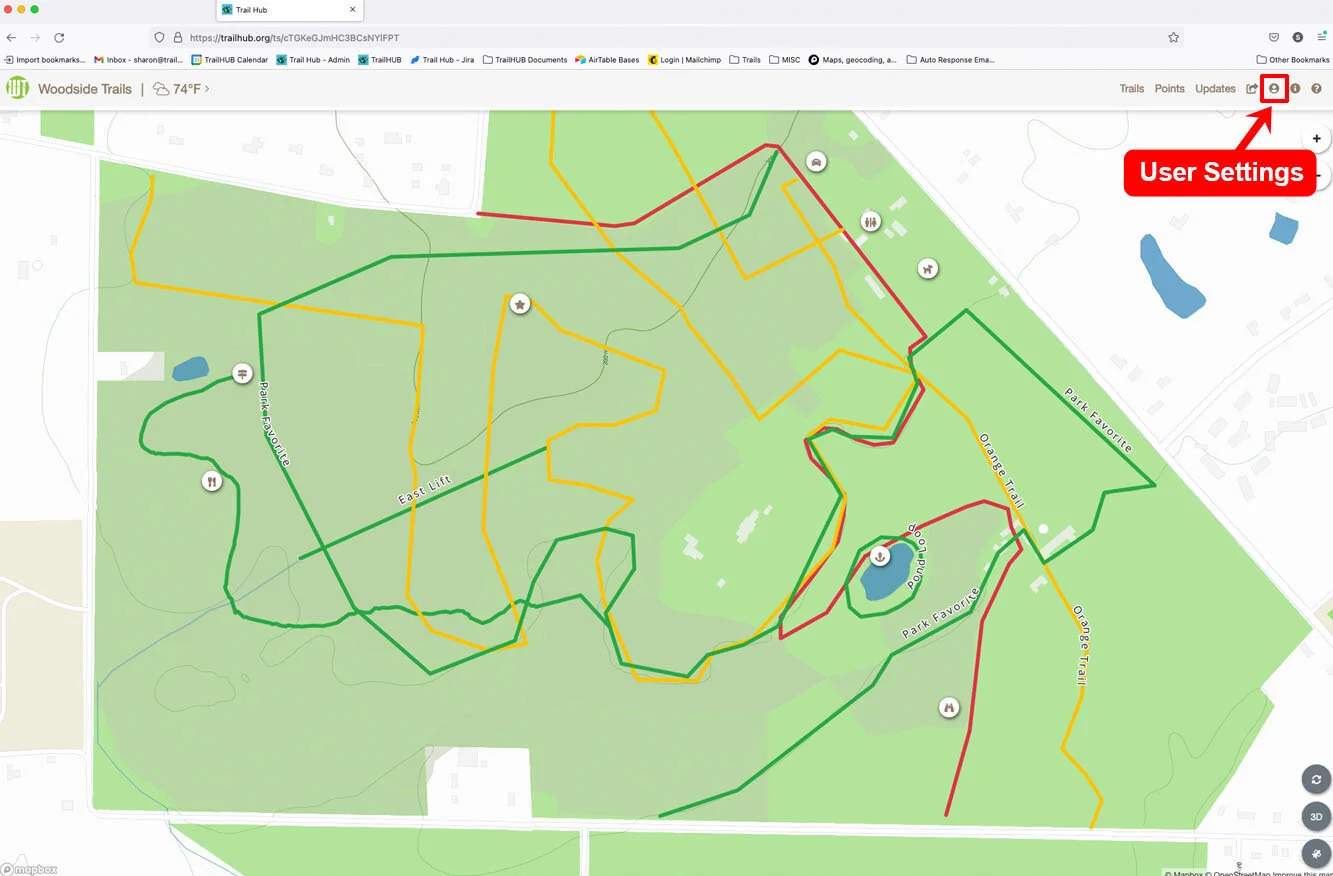
- Select User Settings in the navigation bar.
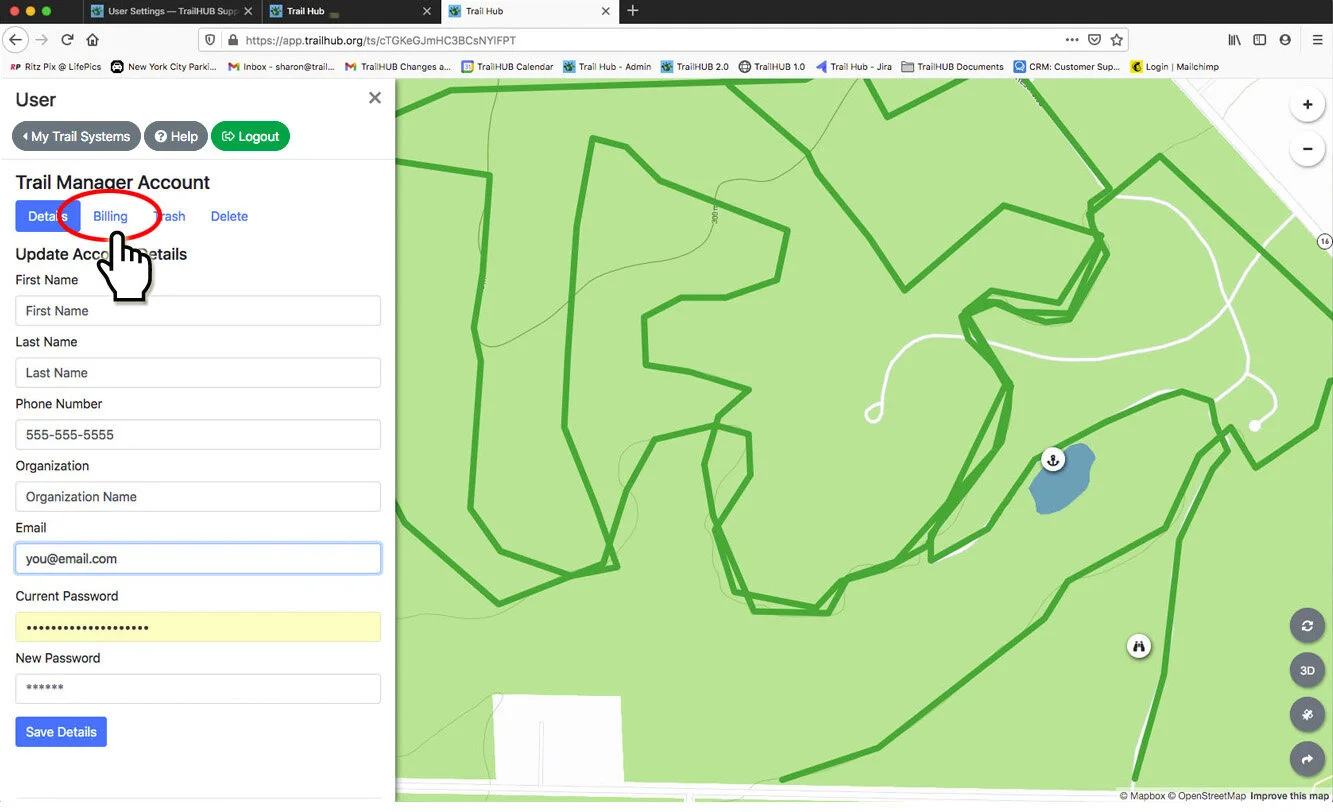
- Select the Billing tab, next to Details, under Trail Manager Account.
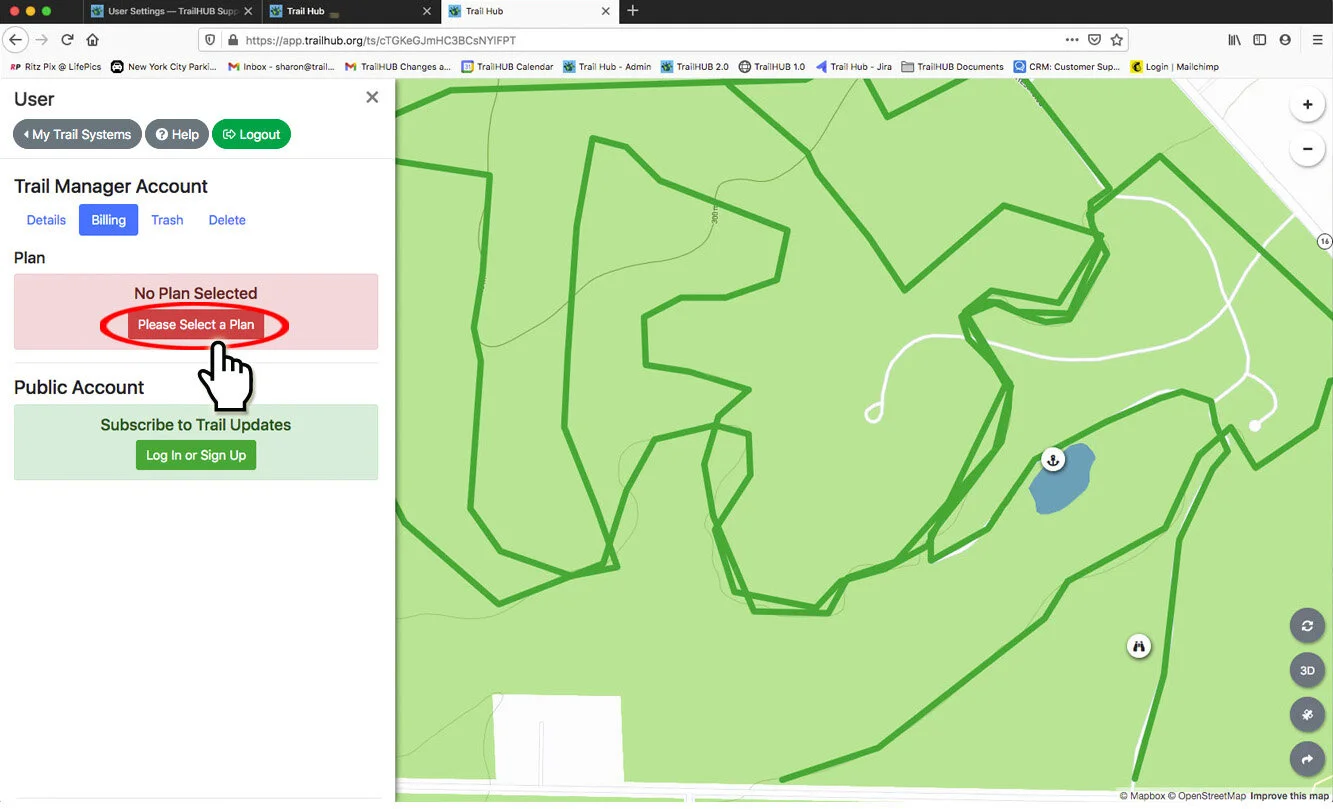
- If you do not have a plan yet, a No Plan Selected notice appears. Select Please Select a Plan.
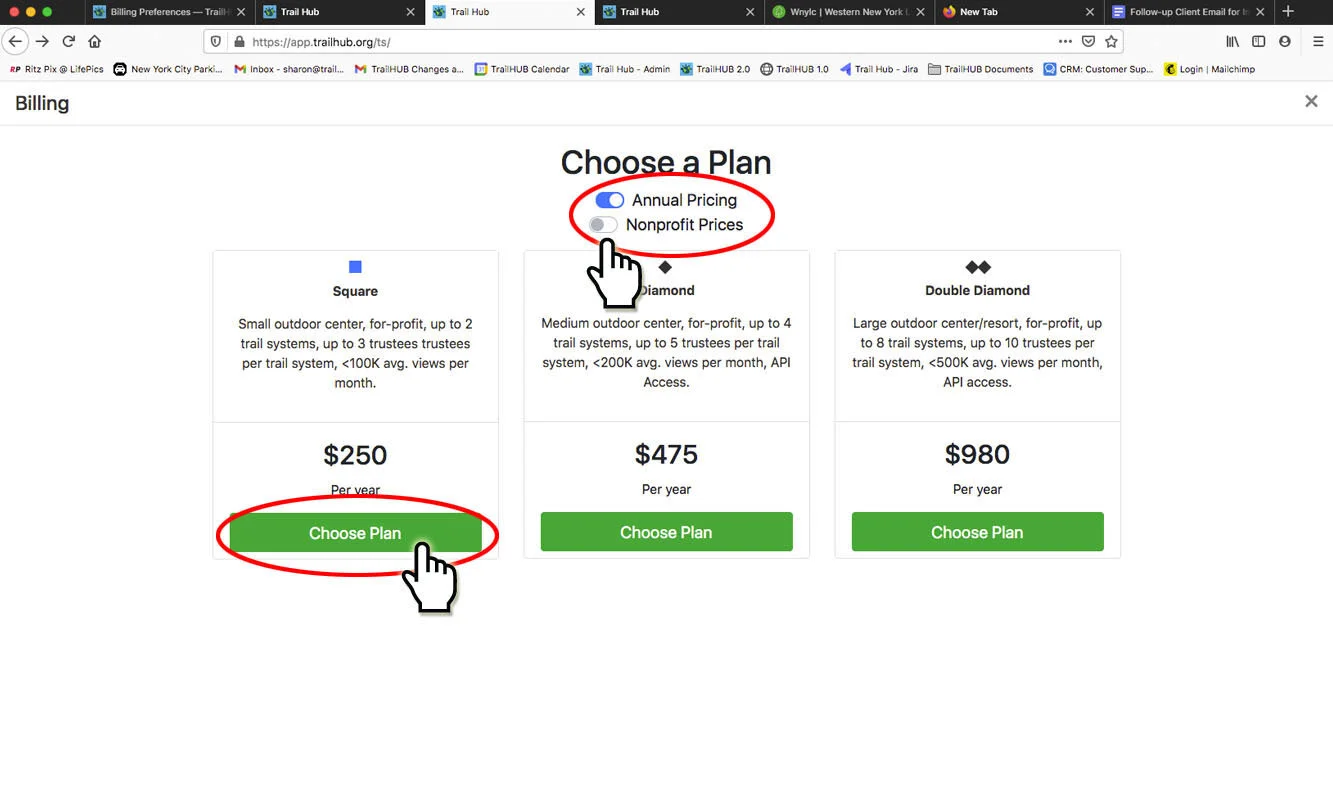
- On the Choose a Plan screen, switch Annual Pricing on to pay yearly or leave it off to pay monthly, and switch Nonprofit Prices on if you are a nonprofit.
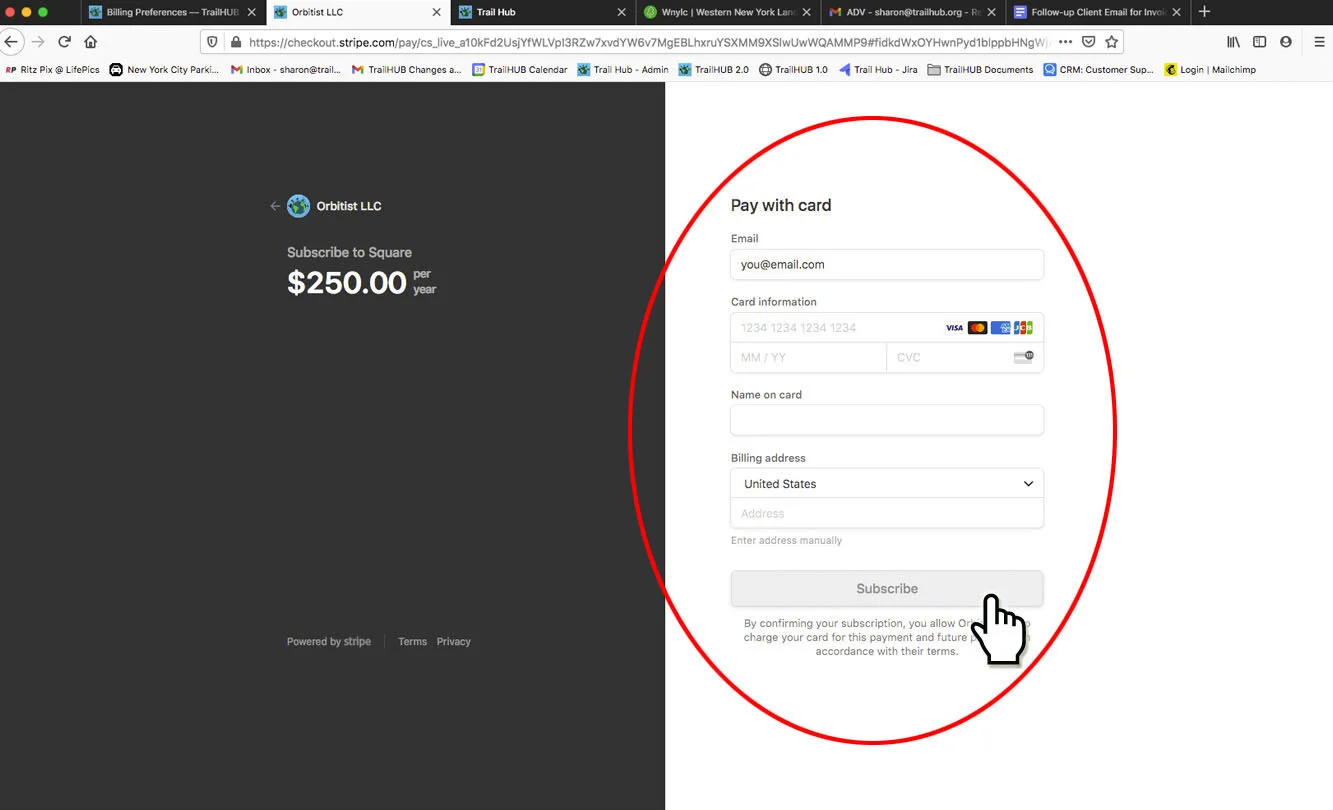
- Select Choose Plan under the tier you want. You are taken to a secure Stripe checkout page to enter your card details, then returned to TrailHUB.
#Change payment method, switch plans or cancel
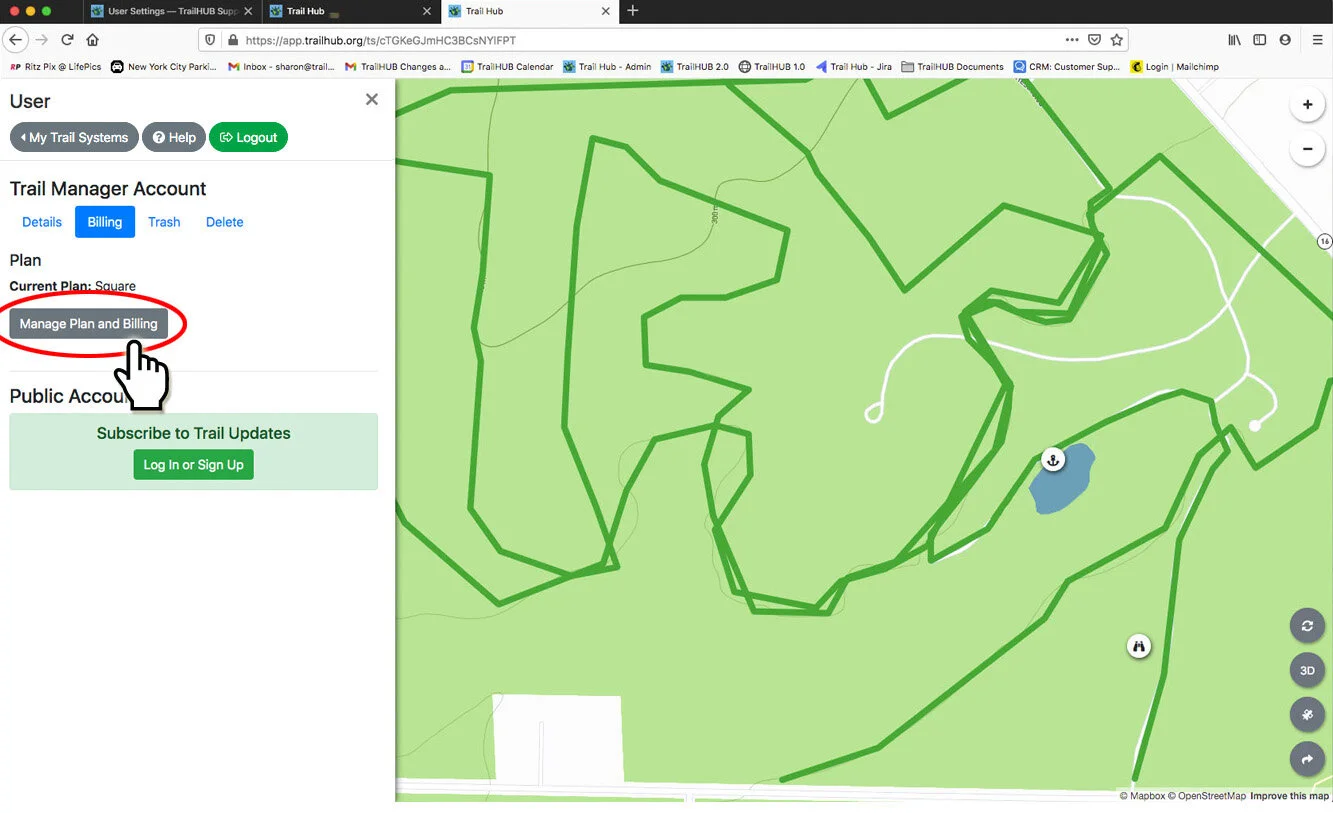
- Open User Settings → Billing. Your Current Plan is shown.
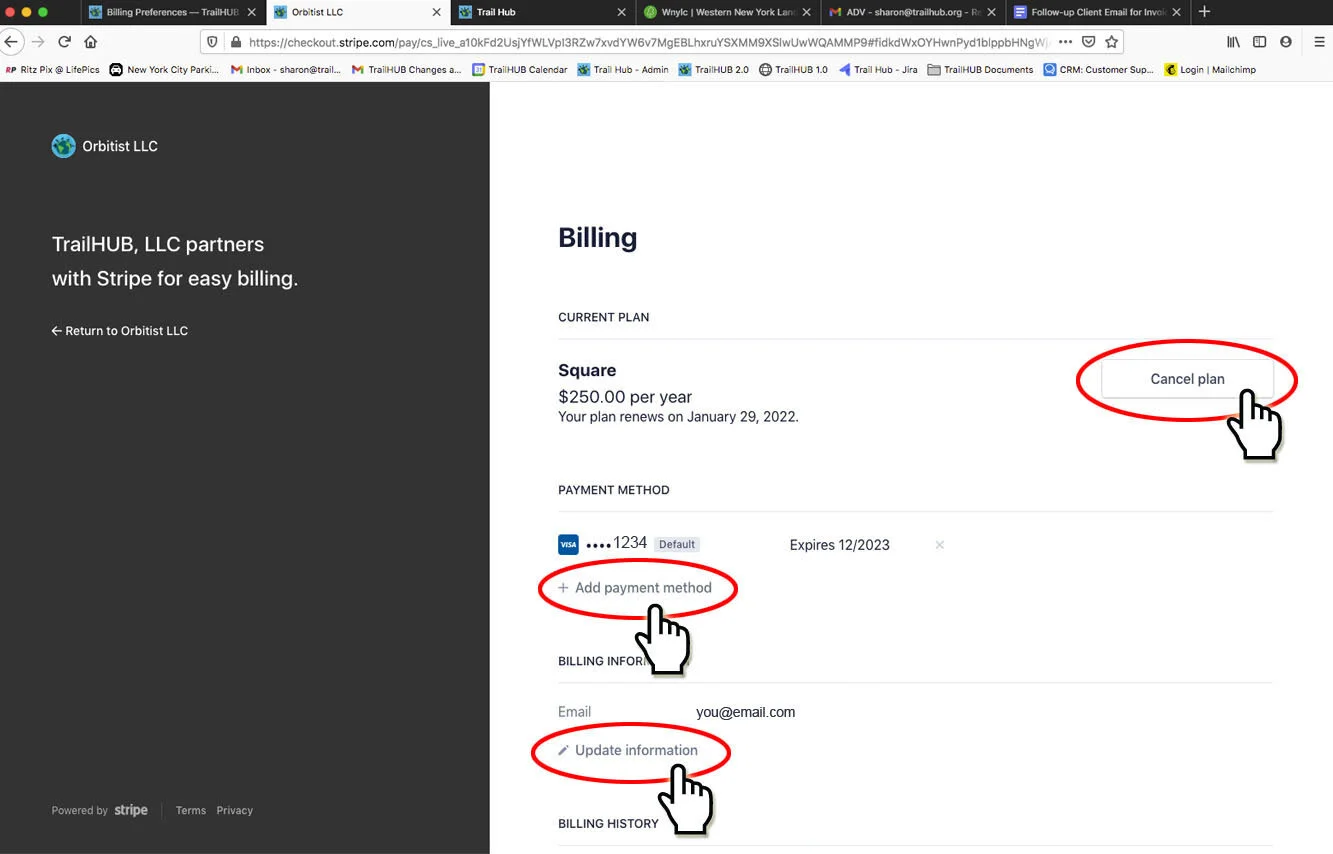
- Select Manage Plan and Billing. This opens the Stripe customer portal, where you can update your card, change your billing email and address, download invoices, switch plans or cancel the subscription.
#Notes
- Plan features such as weather, calendars and digital signage unlock on your trail systems once the subscription is active.
- Parks systems or organizations with many trail systems can contact us about a custom package.