Notices
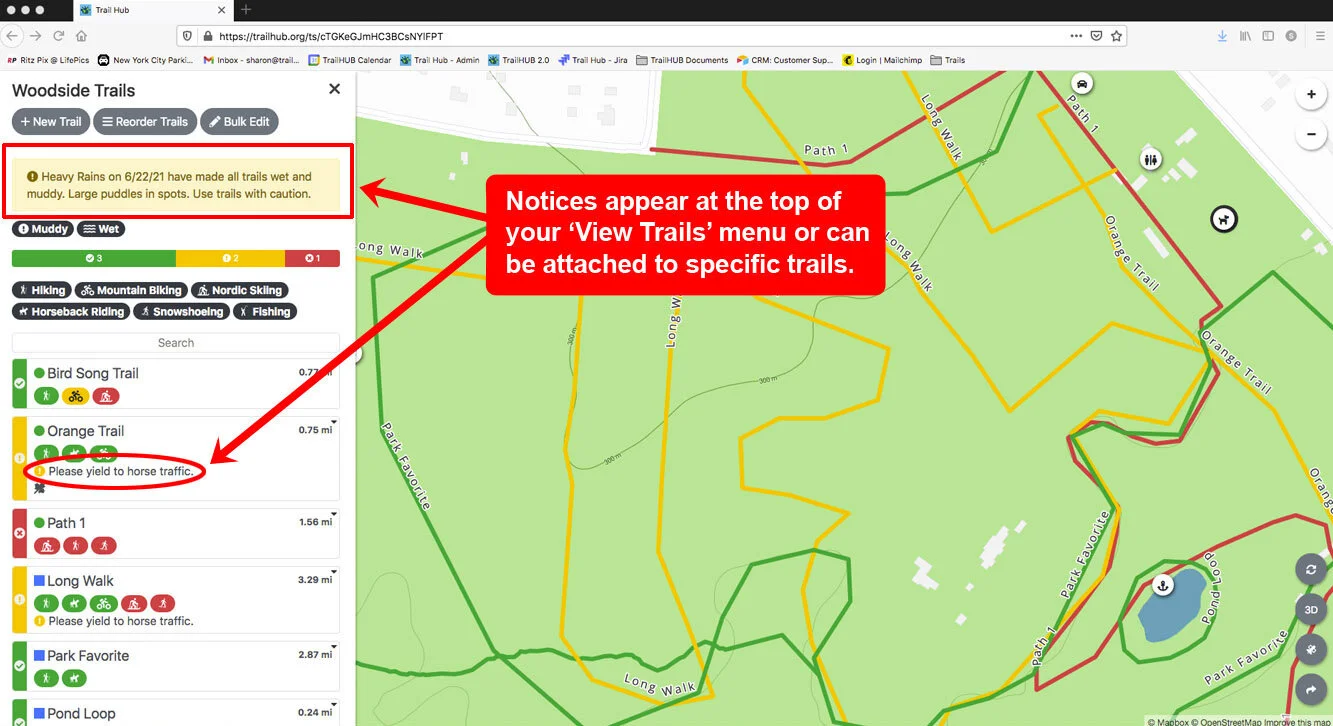
Post a general notice or alert, with a severity level and optional link, to your whole trail system or to specific trails.
Notices appear at the top of your Trails menu, or on the trail cards of specific trails if you attach them. They are the right update type for announcements, closures, hazards, events, and anything else that needs a short written message.
Notices work well alongside Surface Conditions, Snow Reports, and Points and map features to draw attention to, or add detail about, what is happening on your trails.
#Post a notice
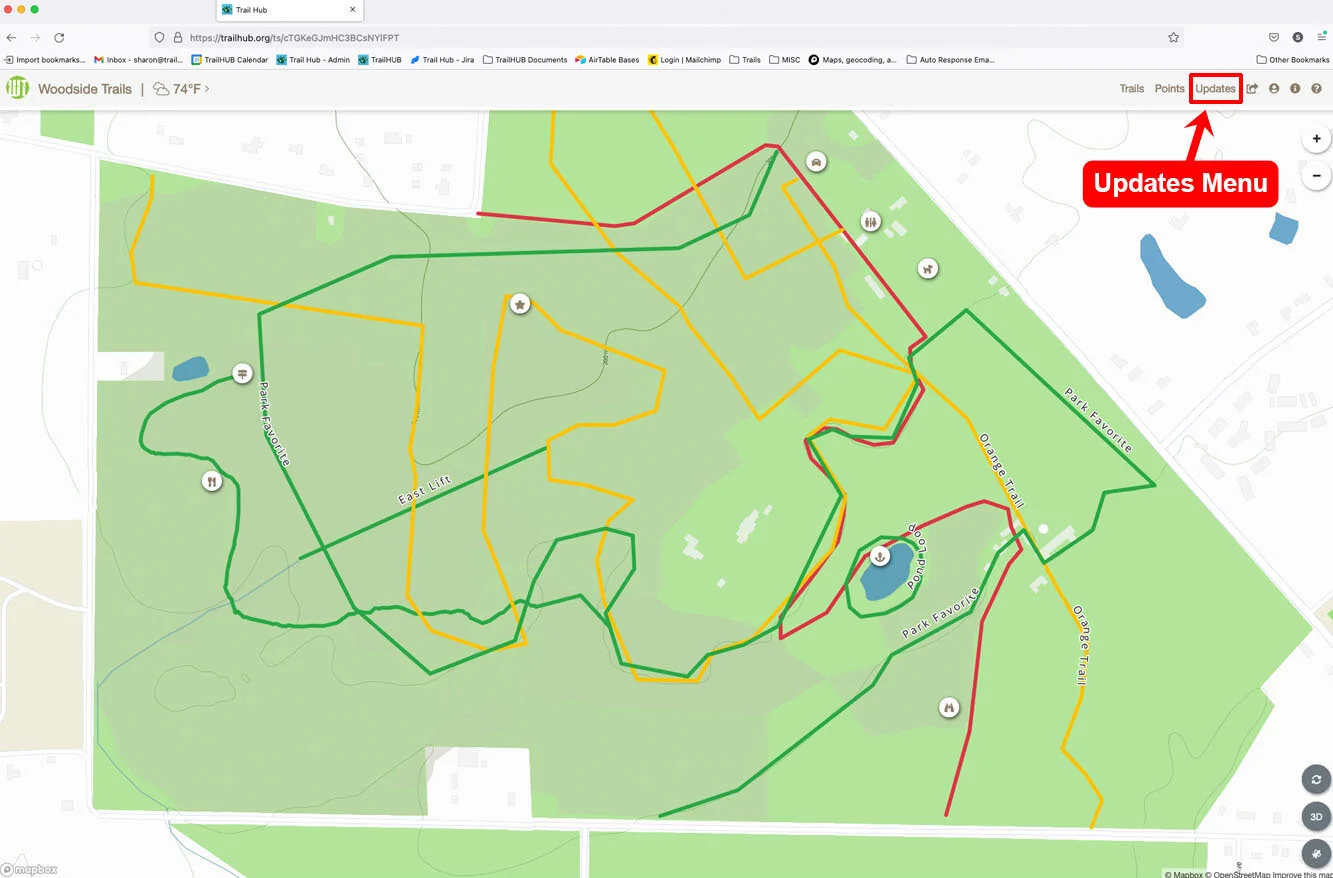
- Select Updates in the top navigation bar.
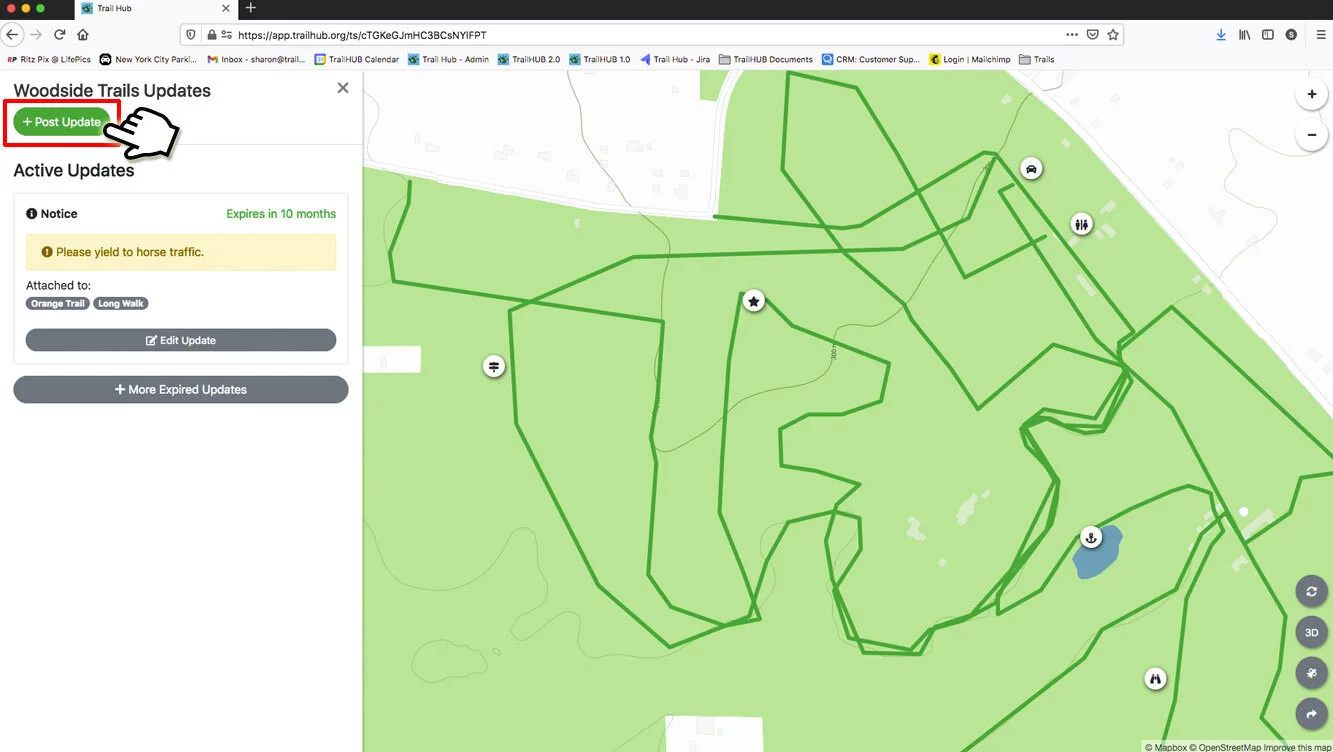
- Select Post Update to open the Create Update drawer.
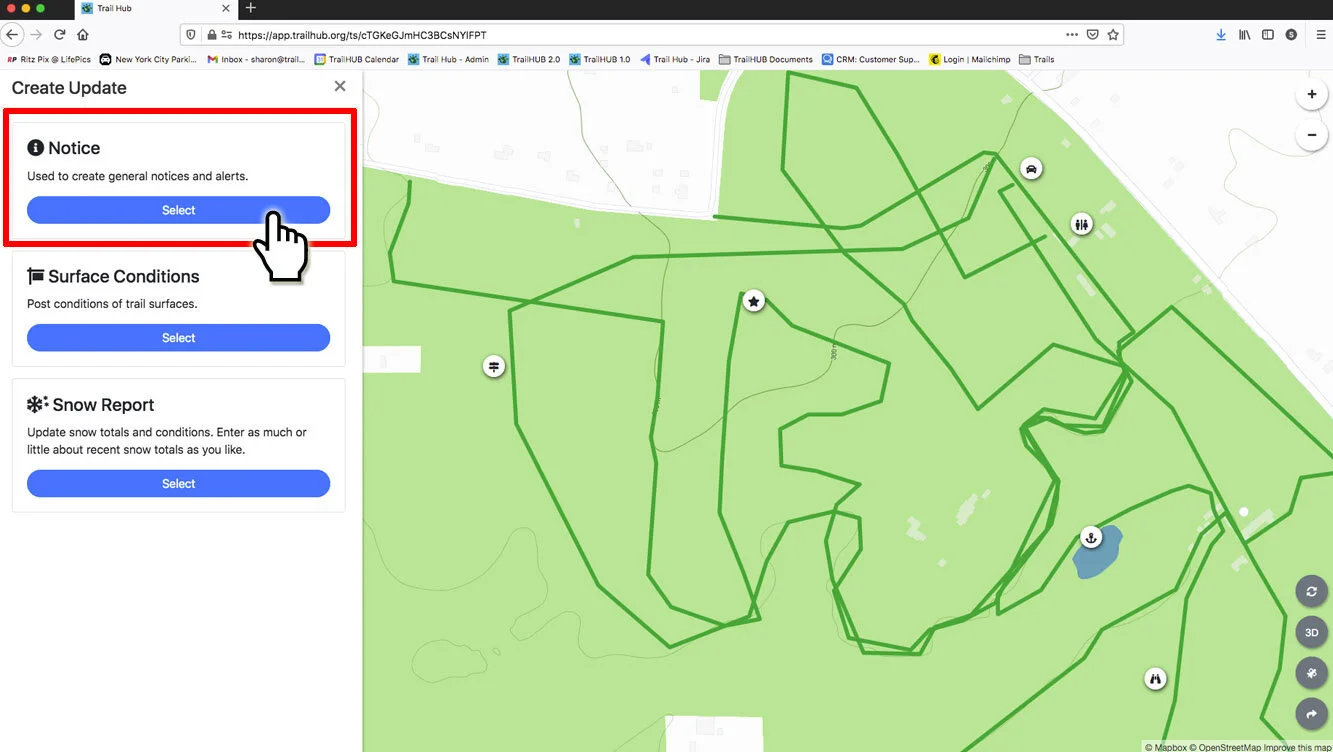
- Select Notice.
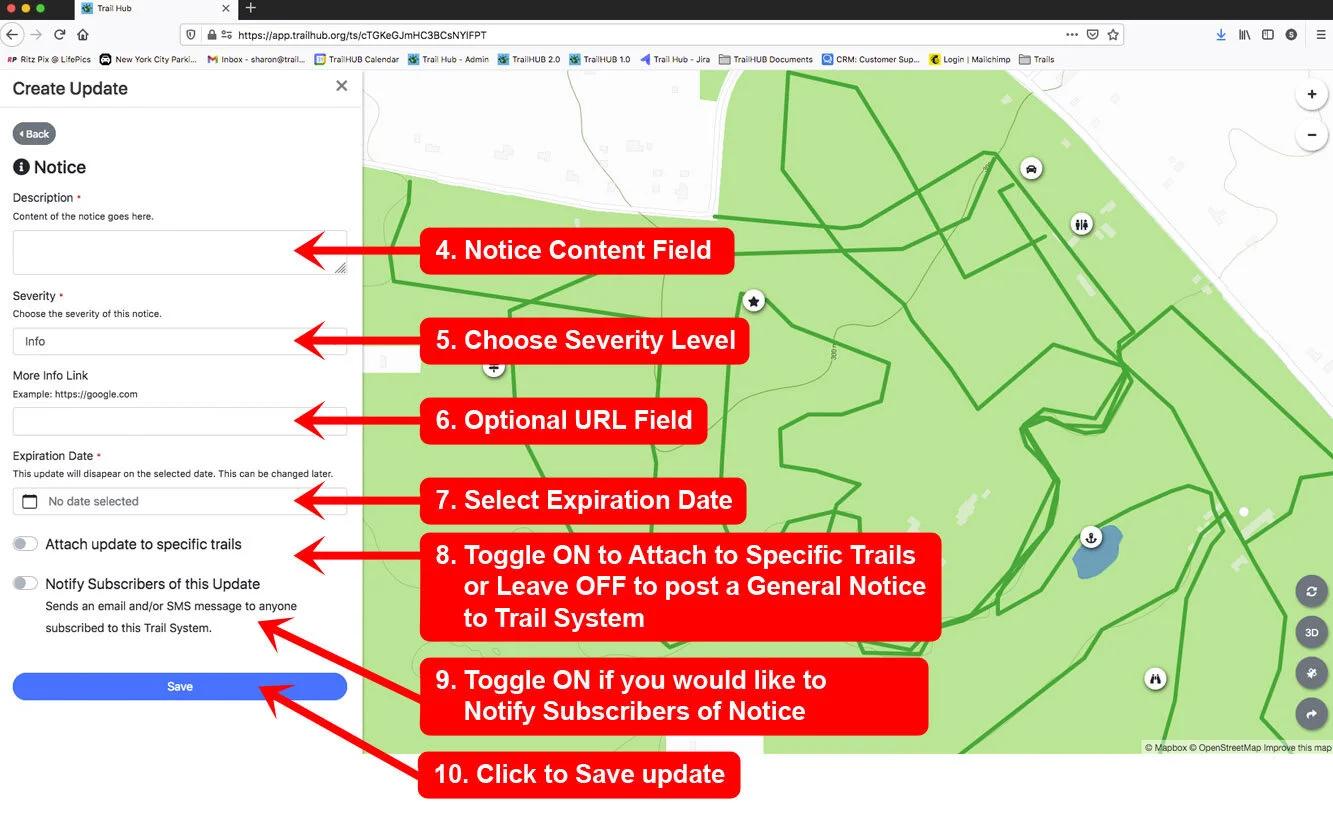
Write the text of your notice in the Description field (required).
Choose a Severity (required): Info, Warning, or Danger. The severity controls the color of the notice.
Optionally enter a full URL (for example
https://example.org/closures) in the More Info Link field.Pick an Expiration Date (required) and, optionally, an expiration time. The notice disappears at that moment. You can edit the notice later to extend it. The expiration must be in the future.
Leave Attach update to specific trails off to post a general notice at the top of your Trails page, or switch it on and choose the Relevant Trails. Shortcut buttons let you select all trails, or every trail with a given activity, status (Open, Caution, Closed), difficulty, or category.
Switch on Notify Subscribers of this Update to send an email and/or SMS text to everyone subscribed to your trail system, or leave it off to post silently. Subscribers receive "Notice from Your Trail System: your description" followed by a link to your trail system. Use notifications sparingly.
Select Save.