
Hide a Trail System from Public View
Use the Trail System Inactive switch to keep a trail system out of the TrailHUB directory while you build it or when it is out of season.
Every trail system has a Trail System Inactive switch. While it is on, the trail system is left out of the public TrailHUB directory (the Browse all of TrailHUB map at trailhub.org/all) and out of the list other managers use to pick related trail systems.
New trail systems are created with this switch on, so nothing you are still building shows up in the directory. Turn it off when you are ready to share your trails with the world.
The switch does not lock the trail system itself: its direct link, embeds and QR codes keep working, so you can preview and share it privately while it is hidden. It is also handy for seasonal systems you want out of the directory for part of the year.
The directory is rebuilt every three hours, so a change here can take up to three hours to show in the public listing.
#Steps
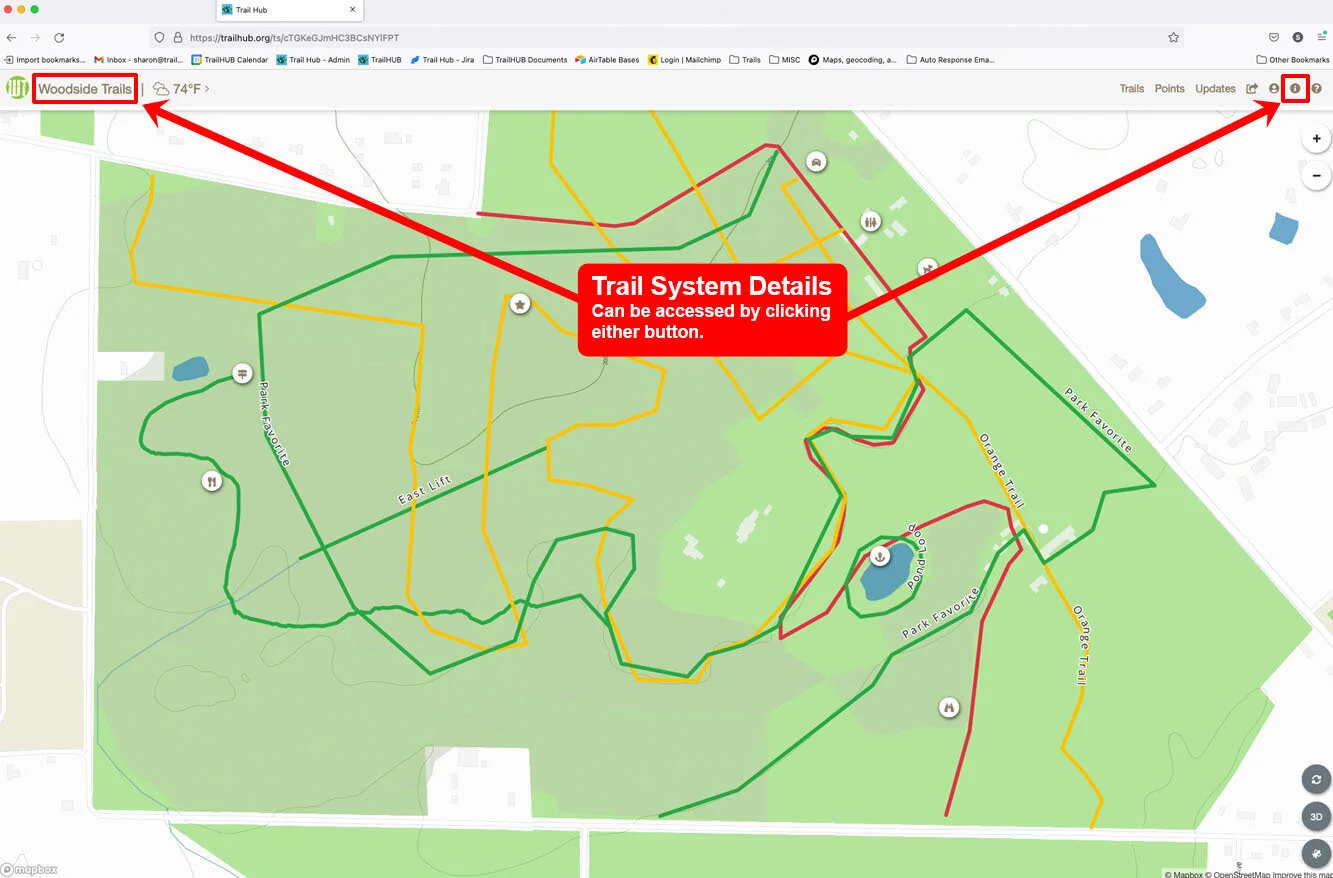
- Select Trail System Details in the navigation bar.
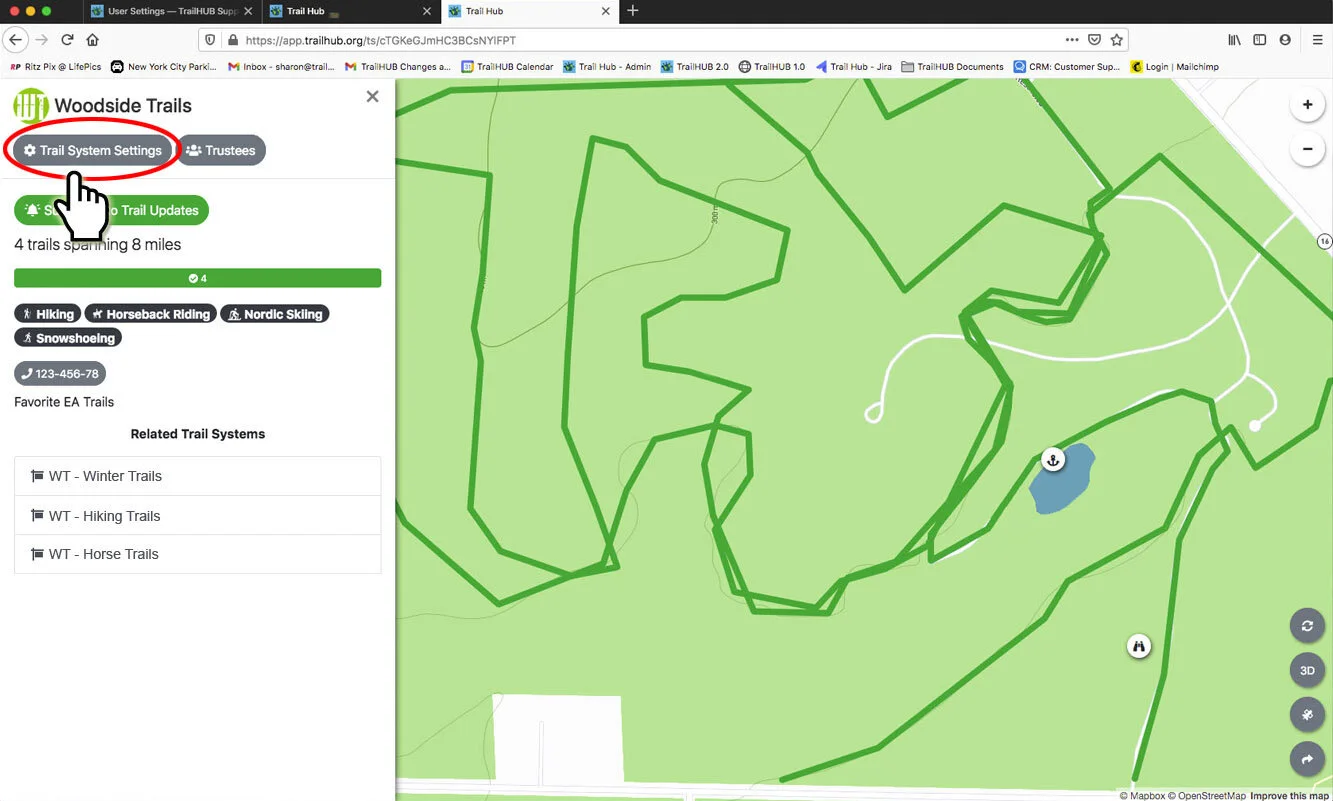
- Select Trail System Settings (owner and administrators only).
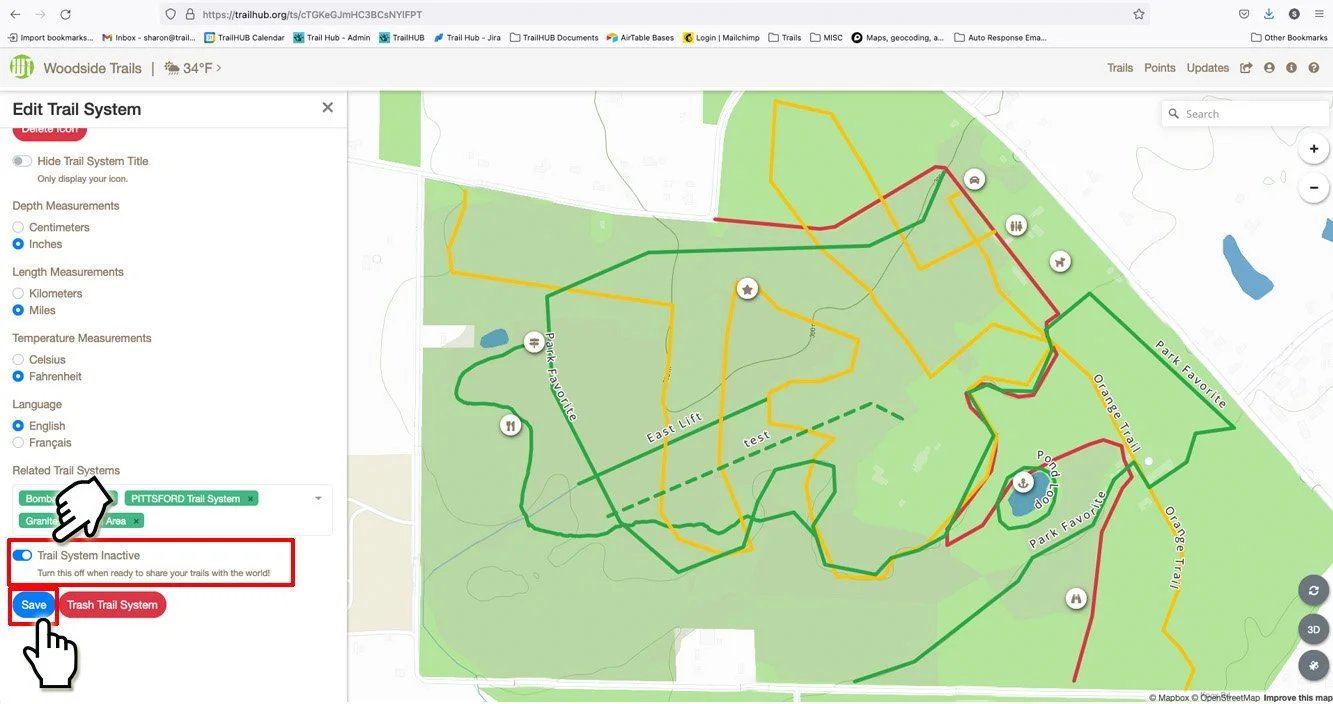
- Scroll to the bottom, just above Save. Switch Trail System Inactive on to hide the trail system, or off to list it publicly.
- Select Save.
#Hiding individual trails
To hide a single trail rather than the whole system, use the trail's own Hidden setting when editing the trail. Hidden trails stay visible to managers in the trail list but are removed from the public map and list.