
Embed a Trail System
Copy an iframe snippet in Hybrid, Map, or List form to show your live trail system on your own website.
Embedding puts your live TrailHUB trail system directly on your own website. Visitors see the same map, trail statuses, and updates you manage in TrailHUB, without leaving your site.
#Copy the embed code
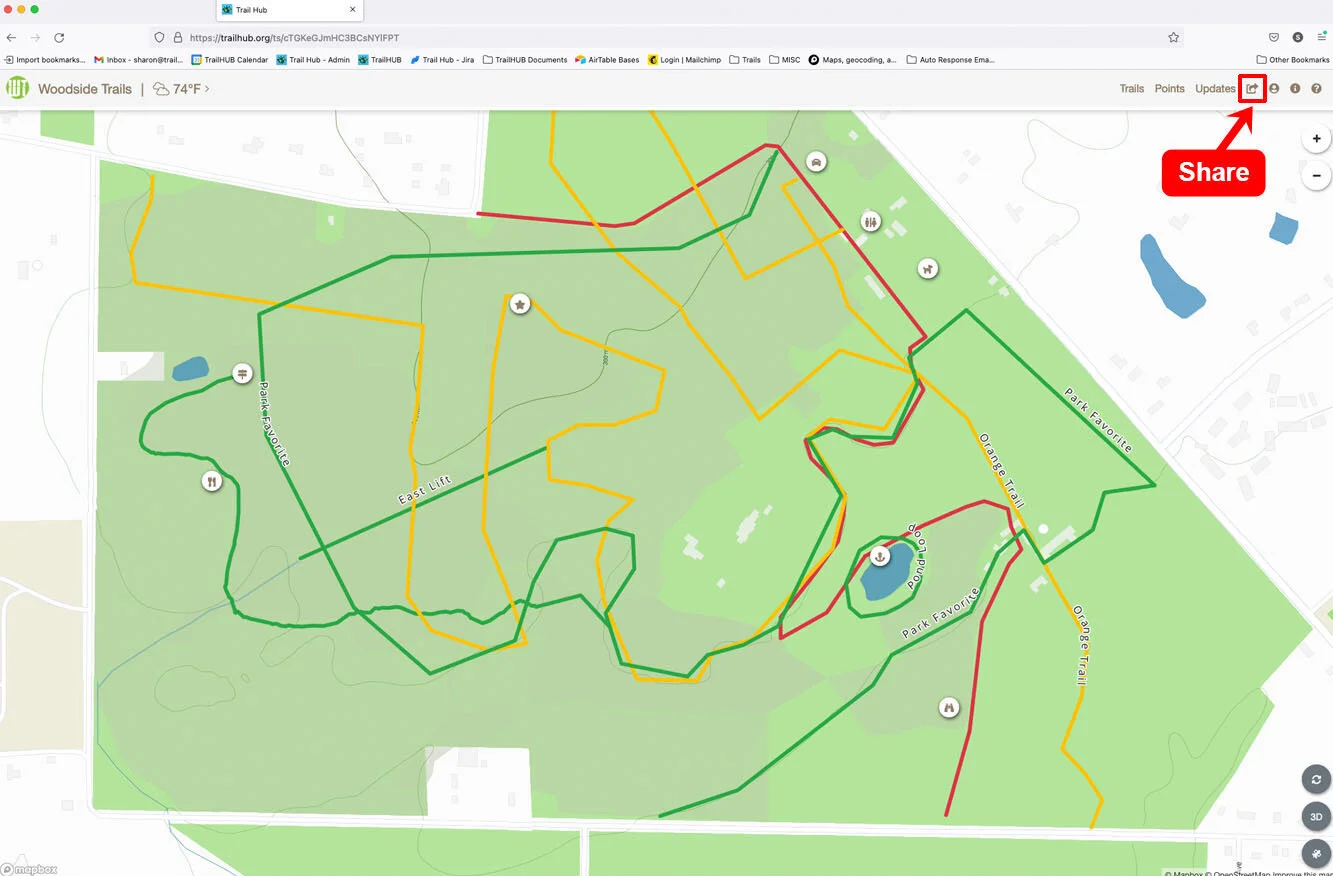
- Select Share in the top navigation bar.
- Under Embed Code, choose Hybrid, Map, or List, then select Copy.
- Hybrid embeds the trail list and the map together.
- Map embeds the map only.
- List embeds the trail list only.
- Paste the copied
<iframe>code into your website or widget wherever HTML is accepted.
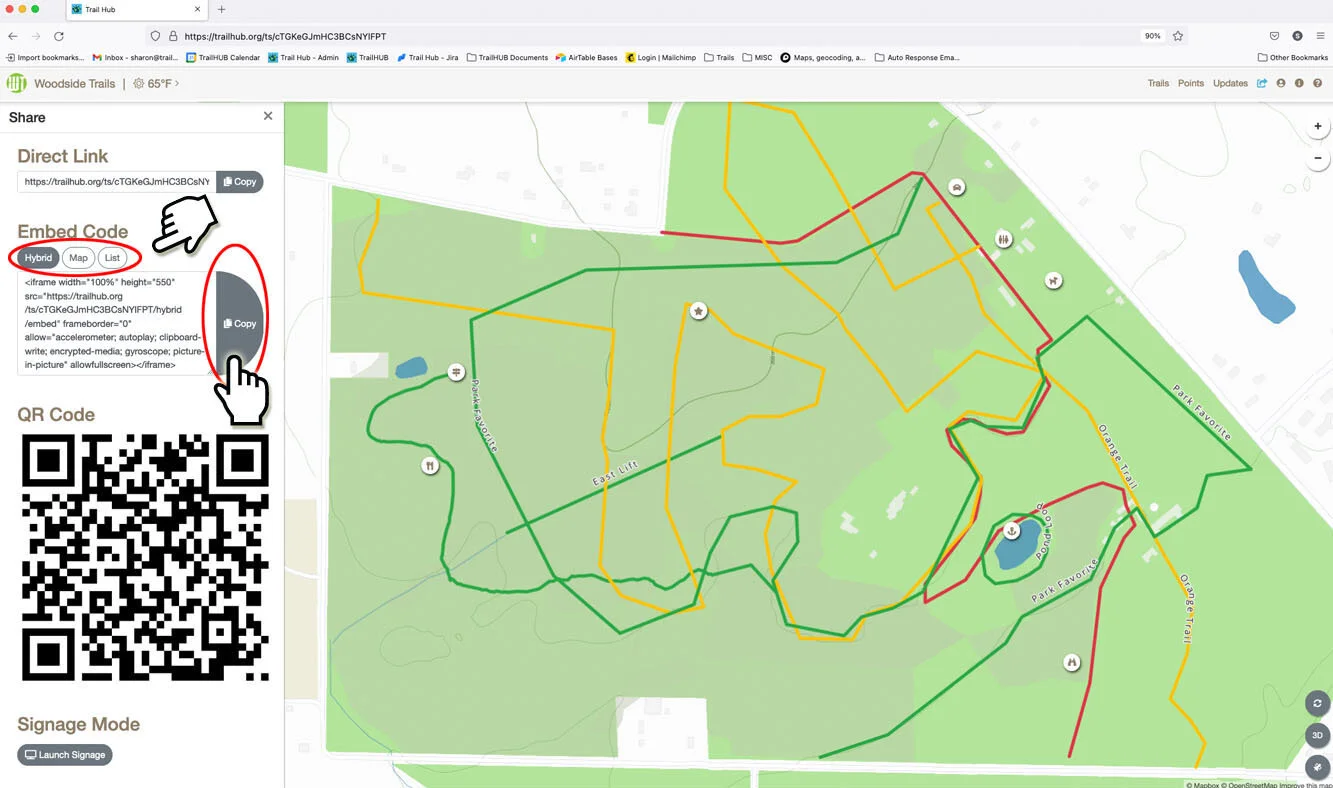
The snippet is a standard iframe pointing at https://trailhub.org/ts/<your-id>/hybrid/embed, /map/embed, or /list/embed. It is set to 100% width and 550px height; adjust the height attribute to suit your page.
#Example: Hybrid
#Example: Map
#Example: List
If you need more control than an iframe offers, the Public Read API returns your trail data for use in your own pages or apps.