
Reorder the Trail List
Sort the trail list alphabetically or by difficulty, group it by activity, or drag trails into a custom order.
The order of the trail list is the order visitors see. You can sort it alphabetically, by difficulty, by activity, or arrange it by hand, and combine these in sequence.
#Steps
Click Trails in the top navigation bar.
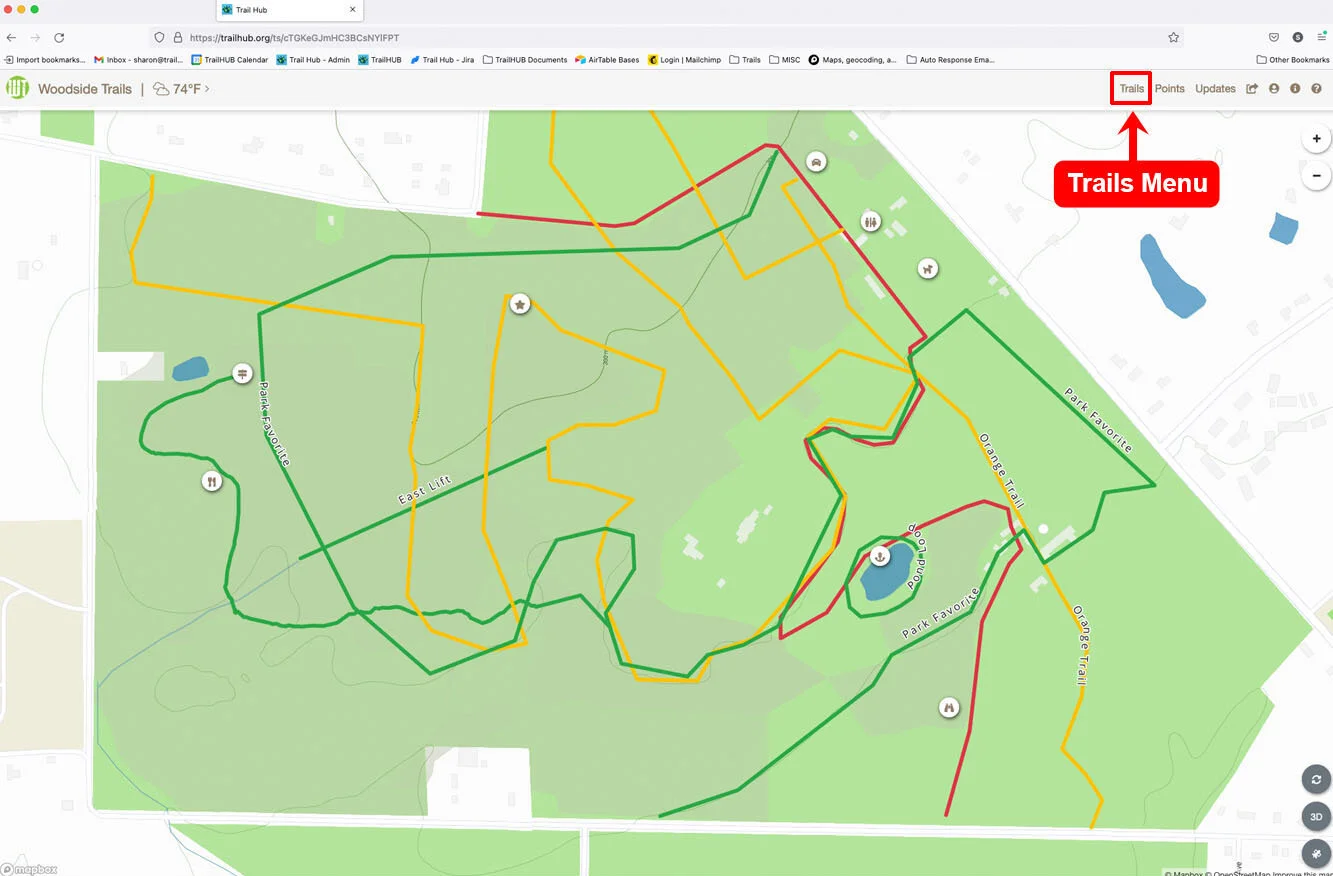
Click Reorder Trails at the top of the Trails drawer. Sorting buttons appear under the search field and each trail card gains a drag handle and arrows.
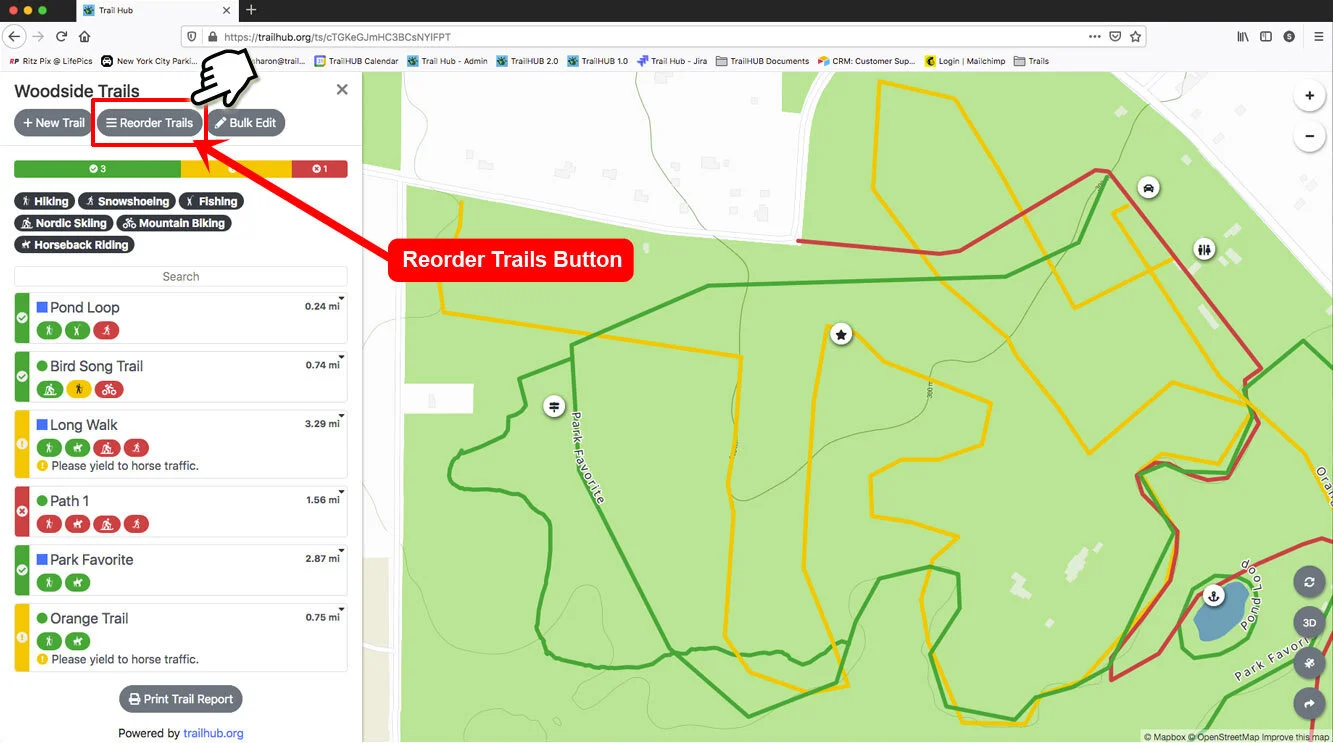
Use the sorting buttons:
- The A-Z button sorts the whole list alphabetically by name.
- Easy / Hard groups trails from Beginner through Expert Only, then Terrain Park, then Not Rated.
- Hard / Easy groups them in the reverse order.
Difficulty sorting keeps the existing order within each difficulty group, so to get an alphabetical list grouped by difficulty, sort A-Z first, then by difficulty.
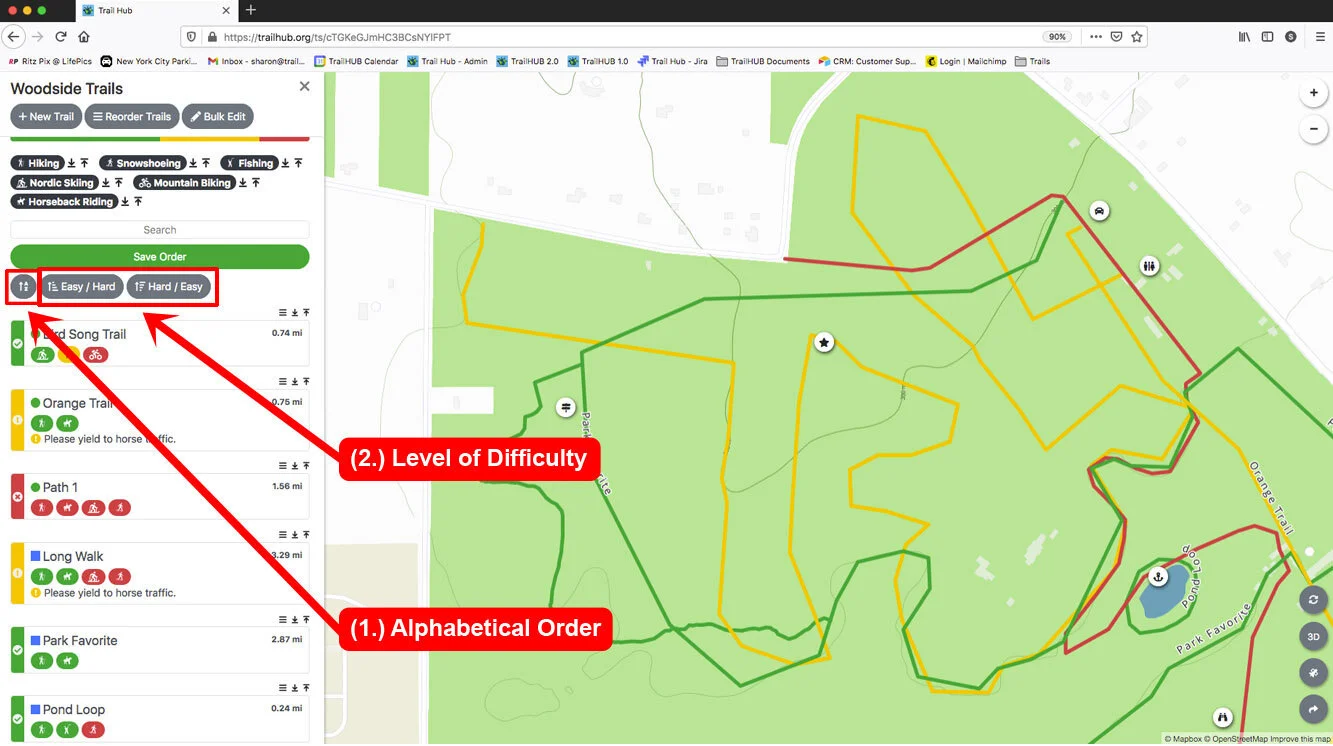
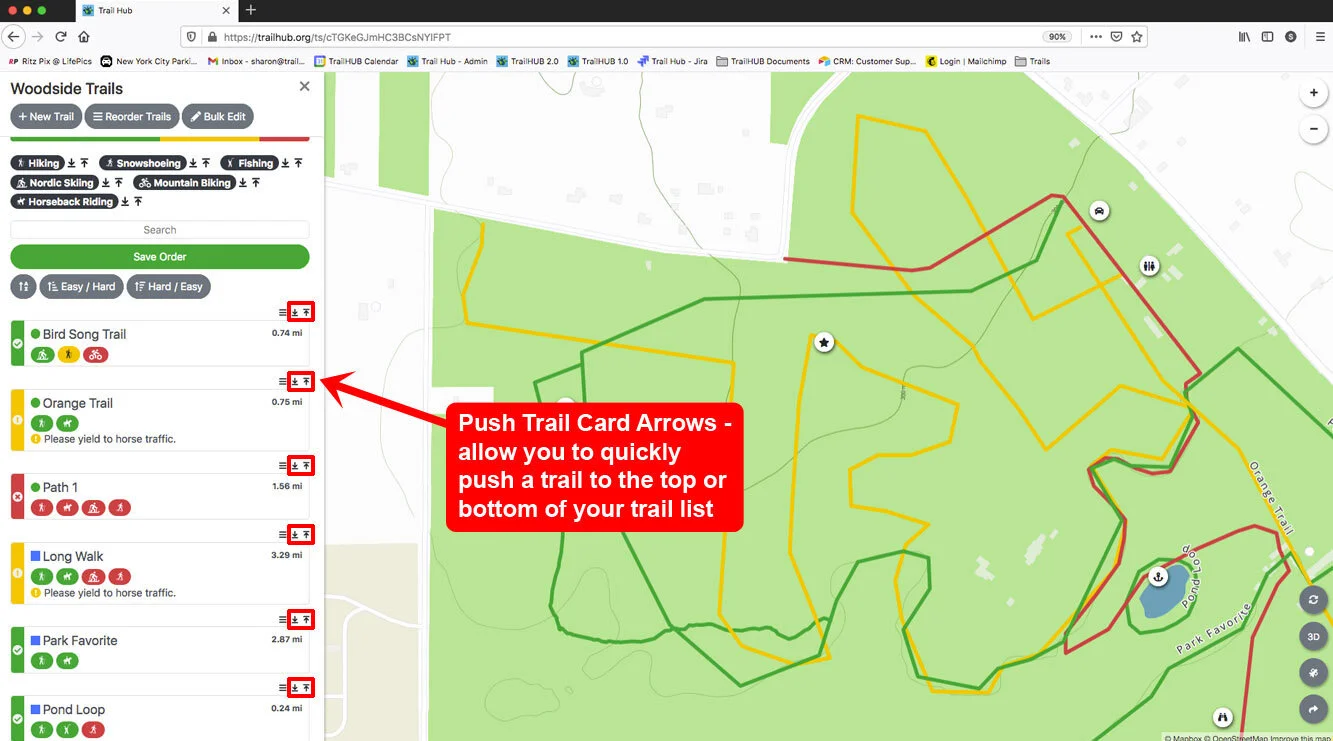
Use the arrows next to each activity badge to move every trail with that activity to the top or bottom of the list. The moved trails come out in reverse order; press the same arrow a second time to restore their order. To combine all three, sort A-Z first, then by difficulty, then by activity.
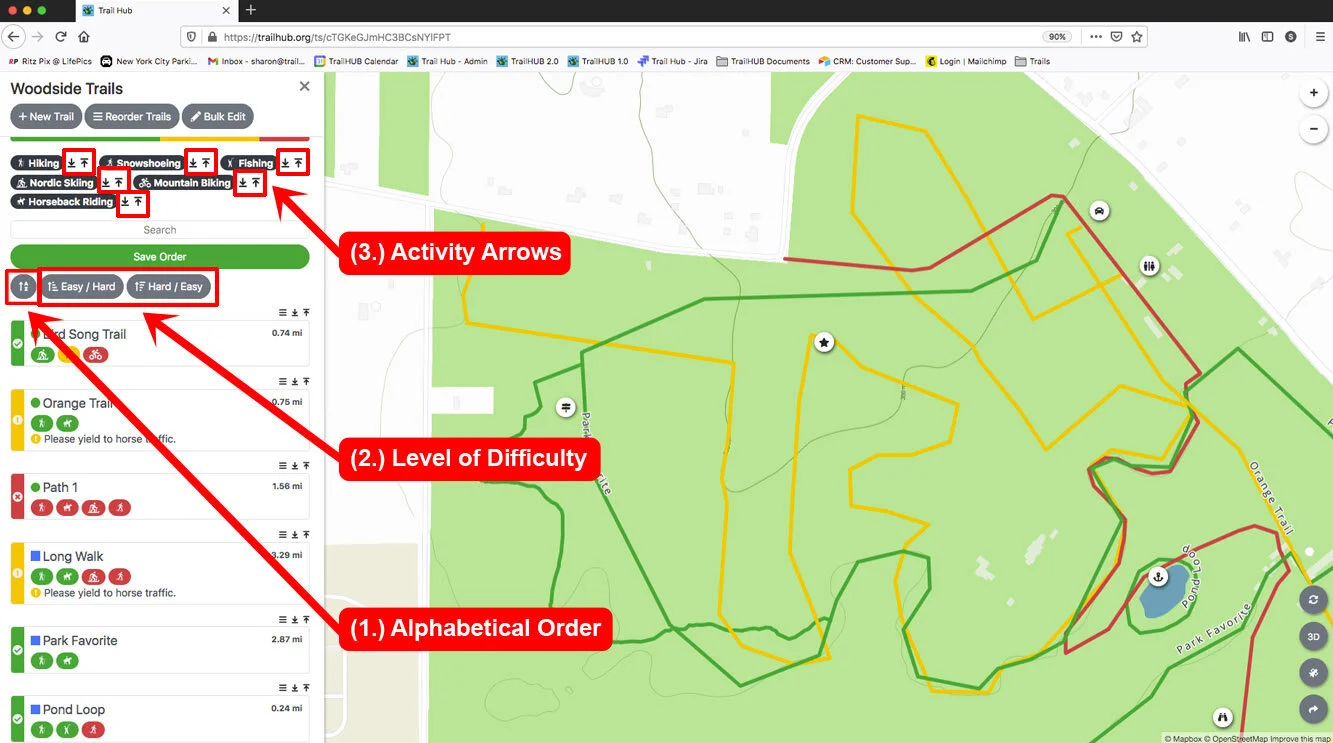
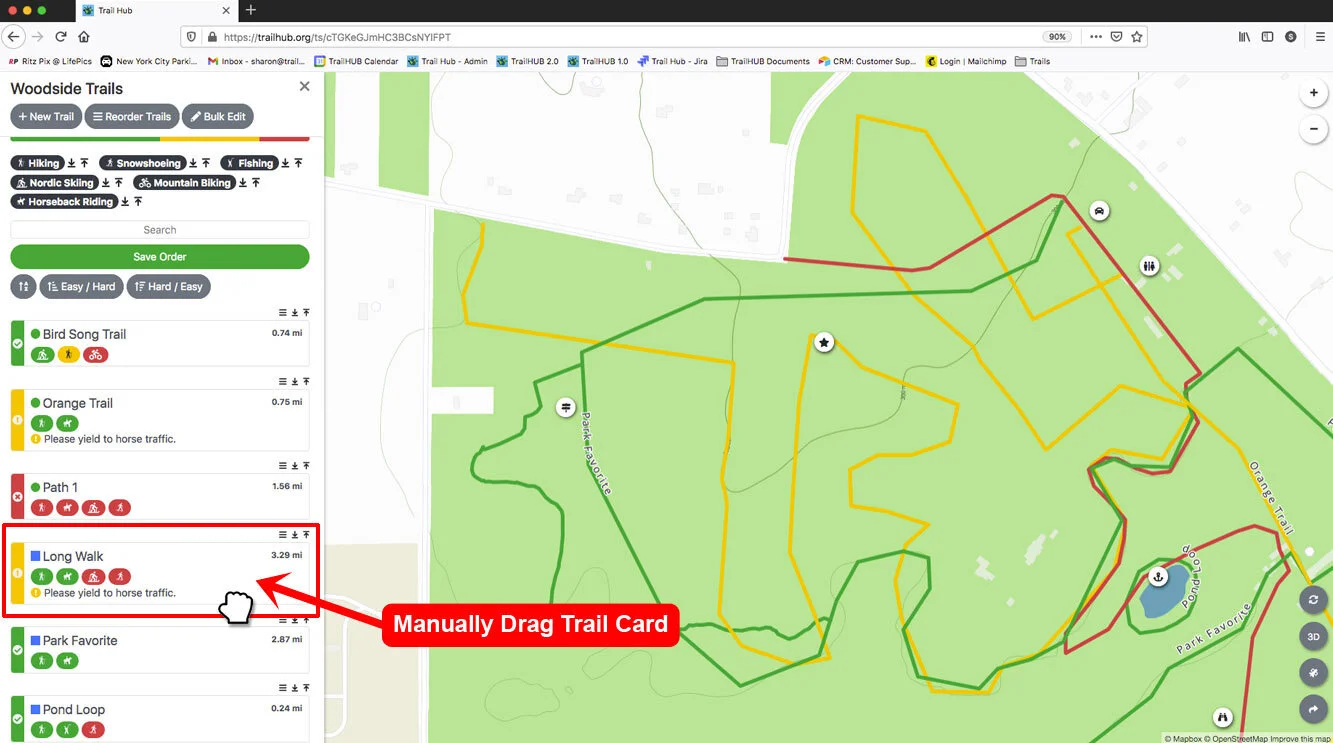
Drag a trail card by its handle to place it anywhere in the list.
Use the arrows above a trail card to send that trail to the top or bottom of the list.
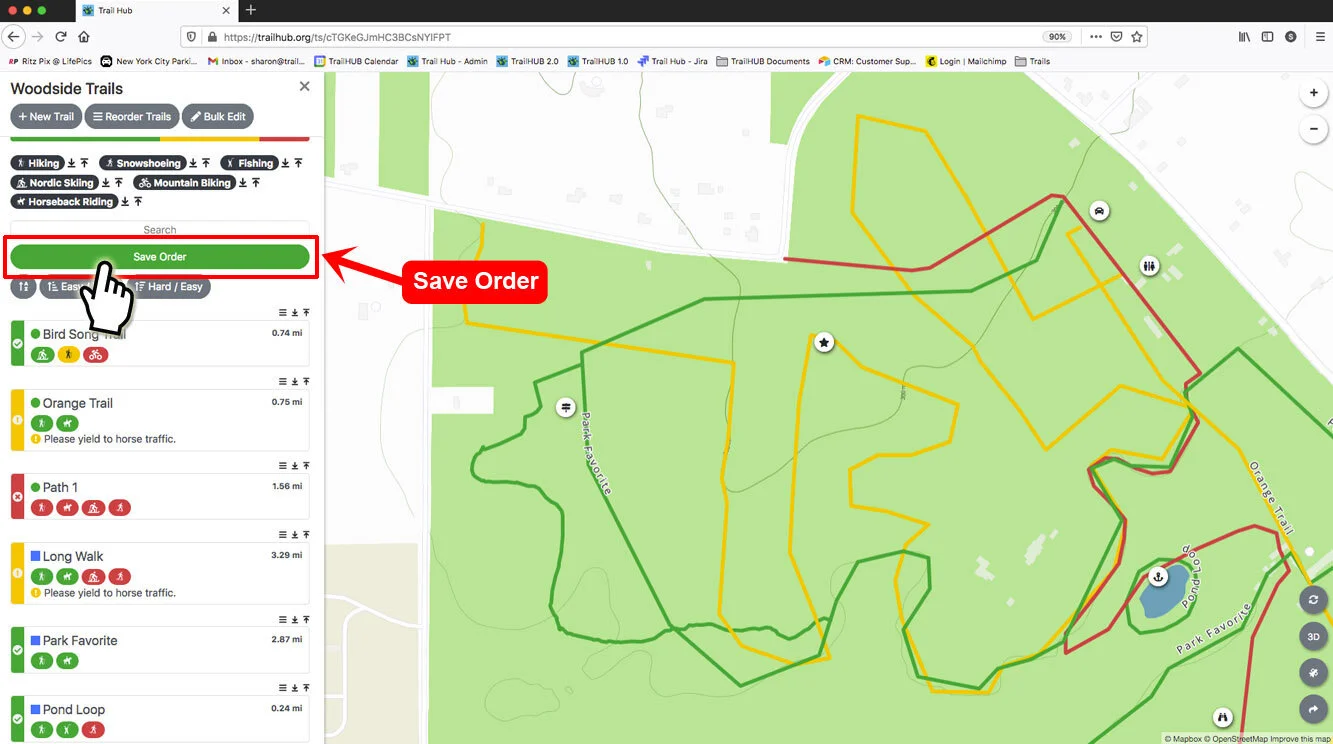
Click Save Order. The button appears as soon as you change the order; your changes are not stored until you click it.
New trails are added to the top of the list, so revisit the order after creating trails.