
Trail System Details and Settings
What the Trail System Details panel shows and what administrators can change in Trail System Settings, Trustees and Calendars Settings.
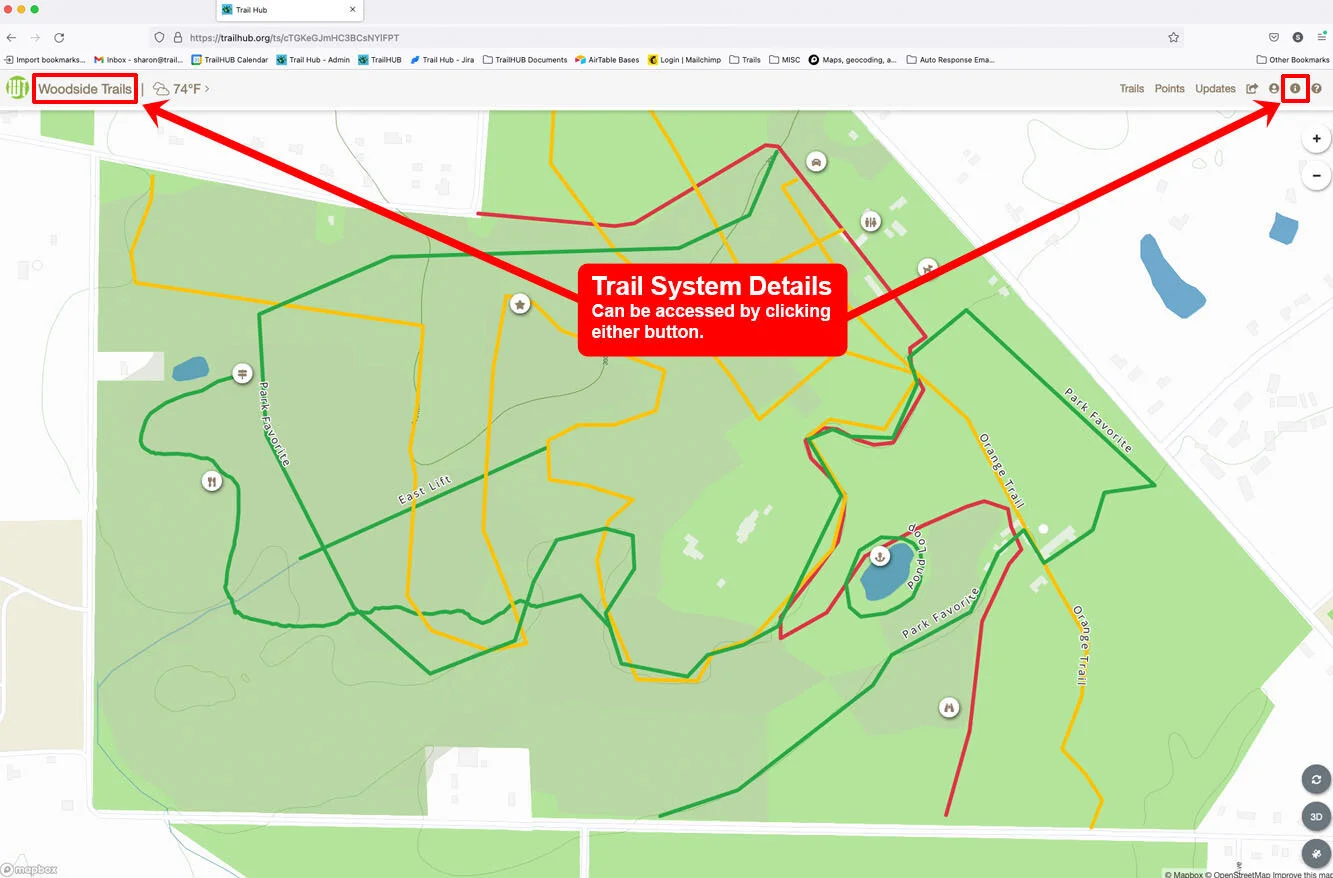
Select Trail System Details (the info icon in the navigation bar, or your trail system's name and icon) to open a panel that everyone can see:
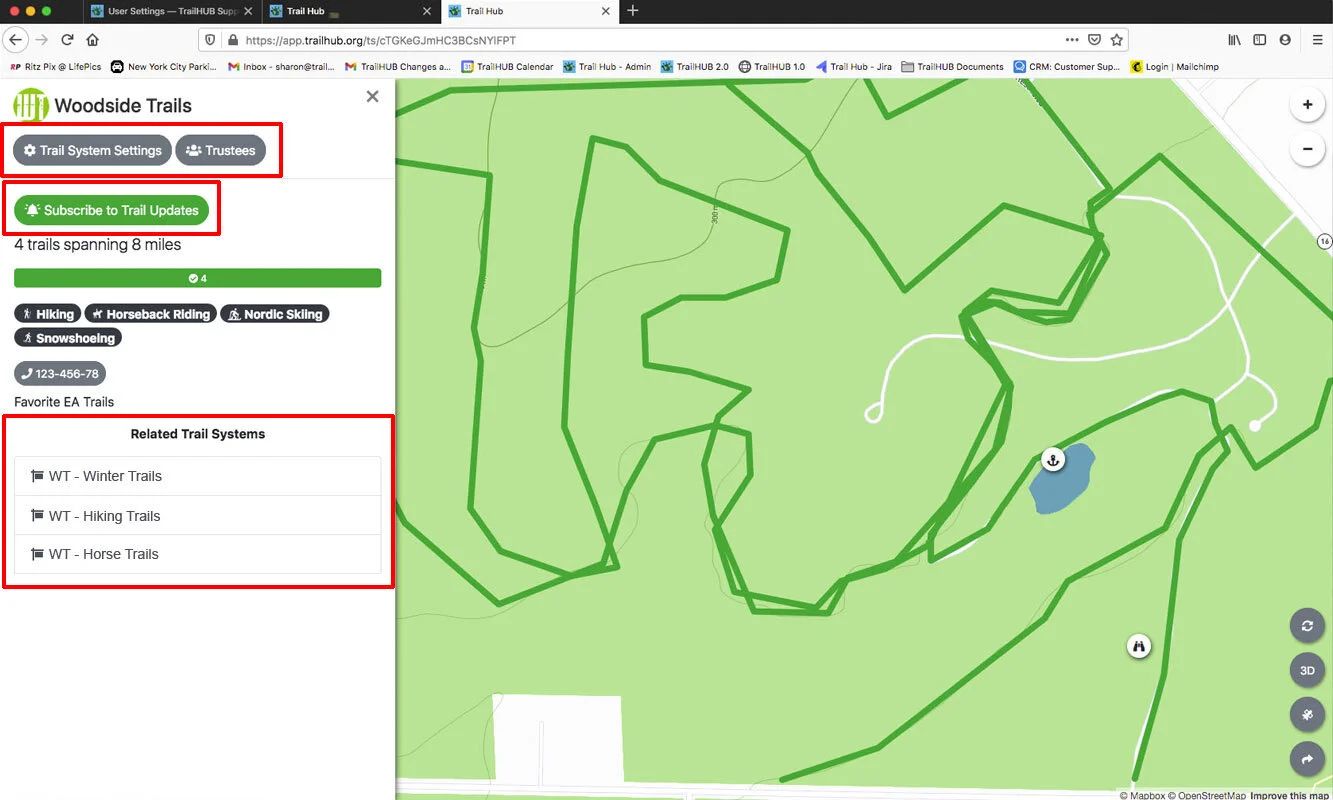
- a count of trails and total distance, with a bar showing how many are Open, Caution and Closed
- the activities offered
- public phone number and website buttons, and the description
- Subscribe to Trail Updates, which lets public users follow the system; see Subscribe to a trail system
- links to any related trail systems
If you are the owner or an Administrator of the trail system, three more buttons appear at the top of the panel. Trustees do not see them.
#Trail System Settings
Opens the same form used to create the trail system. From here you can:
- edit the name, description, phone, website, units and language, and move the default map location
- upload or delete your logo and choose Hide Trail System Title to show only the icon
- temporarily Hide Activities from the trail list, and set a Default Activity that the map opens on
- link related trail systems
- turn the Link to browse all of TrailHUB in navbar switch on or off
- define categories for bulk editing
- hide the trail system from the TrailHUB directory with Trail System Inactive
- Trash Trail System
#Trustees
Invite other manager accounts to help run the trail system and set each one's role. See Trustees.
#Calendars Settings
Connect public Google Calendars so events show in a Calendars tab. Available on Double Diamond and Star plans only. See Calendars.
#In this section
- Edit Trail System Details
Change a trail system's name, description, contact details, map location, measurement units, language and activity display, or trash it.
- Trustees and Administrators
Invite other TrailHUB manager accounts to help run a trail system, choose their role, and understand what owners, administrators and trustees can do.
- Upload Your Logo
Add your organization's logo or icon to a trail system so it appears in the navigation bar, on embeds and on visitors' home screens.
- Categories
Define custom trail categories so you can select groups of trails at once when bulk editing or posting updates.
- Related Trail Systems
Link trail systems together so visitors can jump between them from the navigation bar and the Trail System Details panel.
- Hide a Trail System from Public View
Use the Trail System Inactive switch to keep a trail system out of the TrailHUB directory while you build it or when it is out of season.
- Calendars
Show events from one or more public Google Calendars in a Calendars tab on your trail system (Double Diamond and Star plans).